 MakeBackupInstall ↗
Apps / MakeBackup
On the Shopify App StoreMakeBackup
Put back one field, or the whole item.
Nightly backups of your products, collections and pages, with one-click restore of any item.
14-day free trial · Paid plans from $6.99 USD a month · Last updated · What's new
Three steps.
- 1
The problem
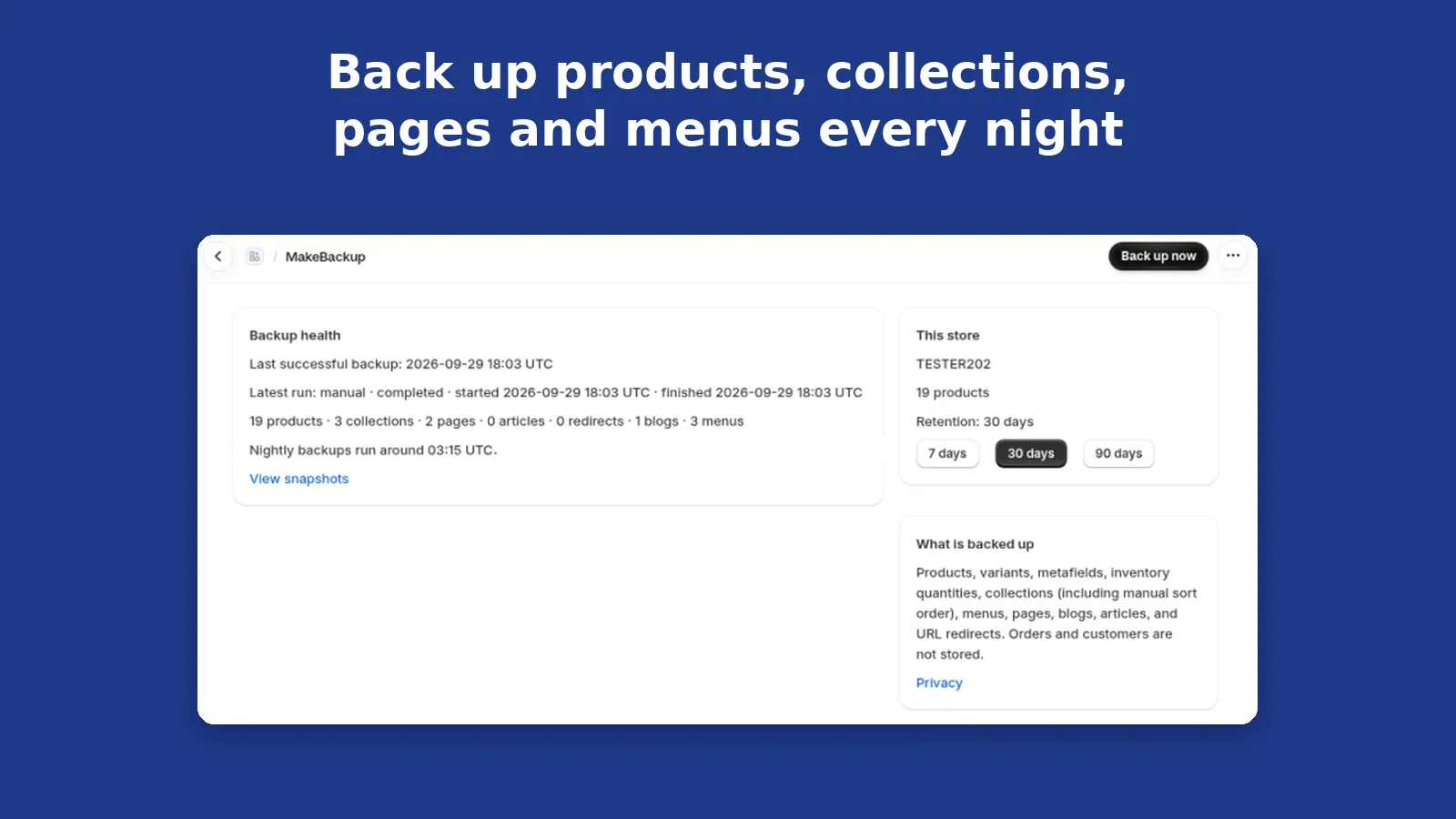
The home screen shows the last backup, what it contains, and whether snapshots are kept for 7, 30 or 90 days.
- 2
What the app does
A preview compares the current value with the backup. It only reads Shopify, so nothing is written yet.
- 3
The result
Restore the selected field, or bring back a deleted item that is still in a snapshot.
Who it is for: Any Shopify store.
A bad edit is hard to undo field by field
One import or edit can change a title, a collection order, a menu or a page, and Shopify does not keep a copy you can put back one field at a time.
- An edit or import changes a product, page or menu and there is no copy to compare
- Putting the whole item back when only one field was wrong
- A deleted product with no snapshot to restore it from
MakeBackup keeps a nightly copy of products, variants, metafields, inventory quantities, collections (including manual sort order), menus, pages, blogs, articles and URL redirects. Orders and customers are not stored. Nightly backups run around 03:15 UTC, or press Back up now. Keep snapshots for 7, 30 or 90 days. Restore one item or one field after a preview that only reads Shopify, up to 25 items per restore. Deleted products and collections can be brought back from a snapshot that still contains them. Download any backup as JSON or CSV.
From problem to result, step by step
Before The home screen shows the last backup, what it contains, and whether snapshots are kept for 7, 30 or 90 days.
Real MakeBackup screen with sample data, not a real shop.
Action A preview compares the current value with the backup. It only reads Shopify, so nothing is written yet.
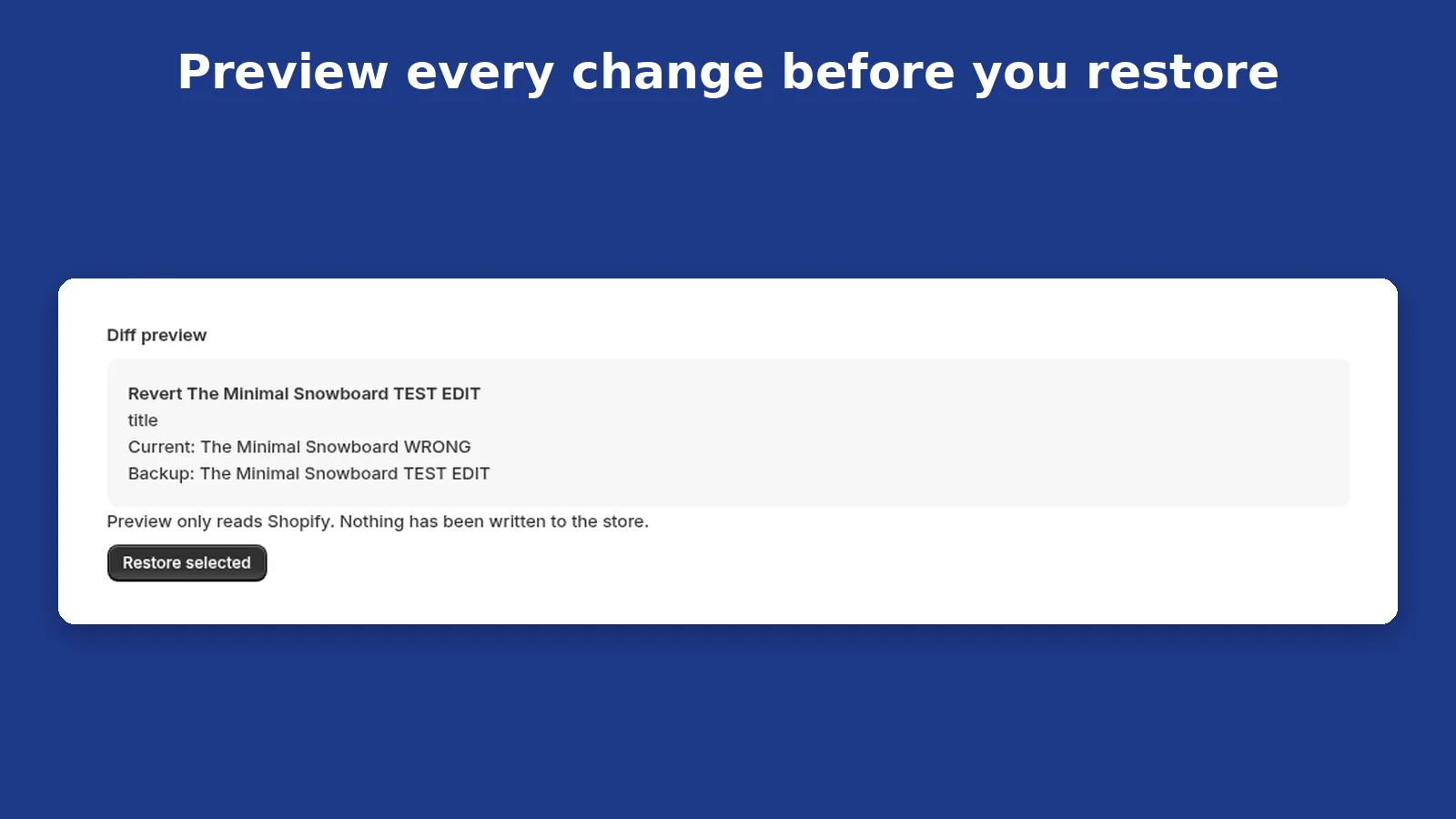
Real MakeBackup screen with sample data, not a real shop.
Result Restore the selected field, or bring back a deleted item that is still in a snapshot.
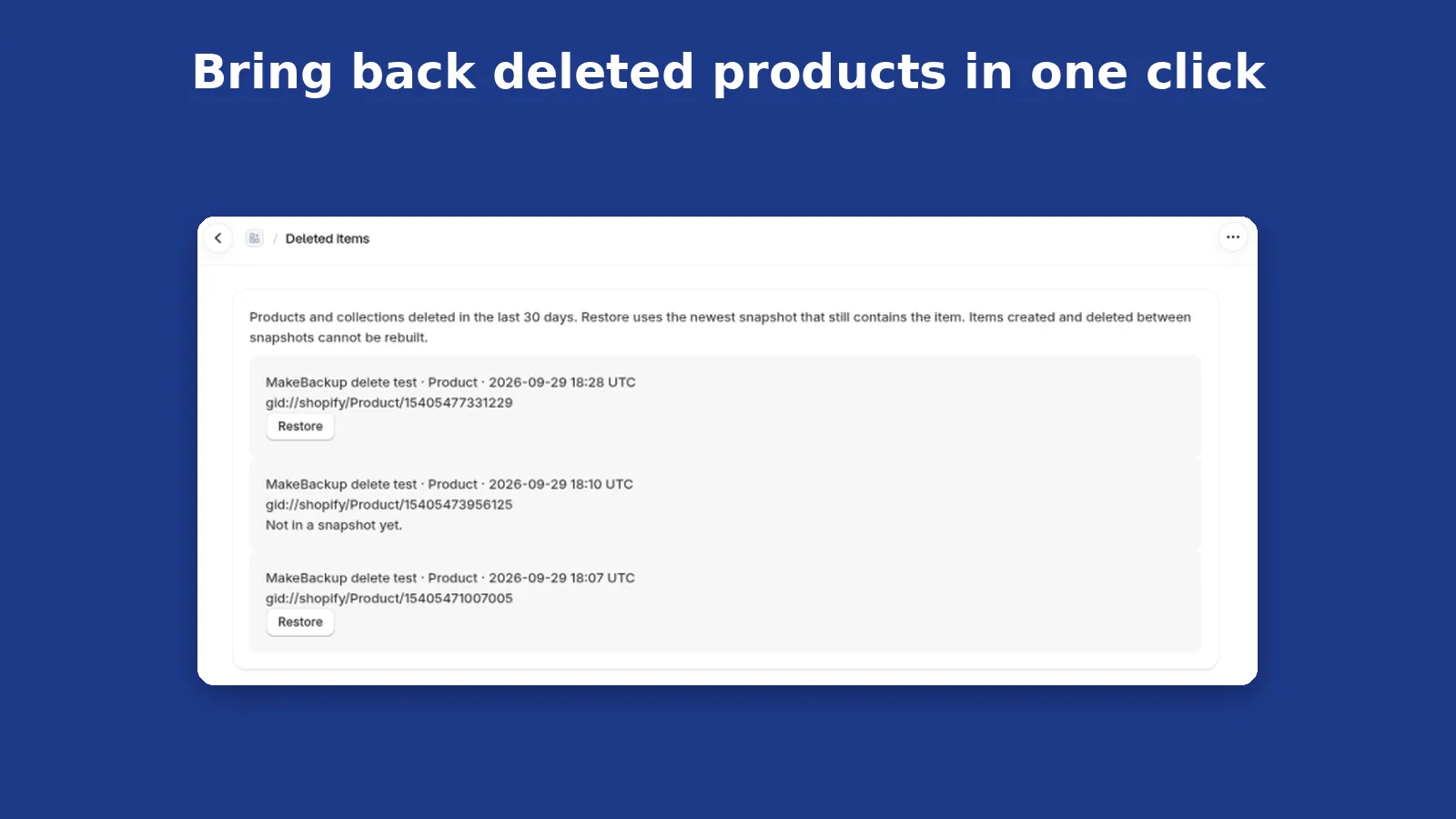
Real MakeBackup screen with sample data, not a real shop.
Result Download that snapshot as JSON or CSV. The link lasts 10 minutes.
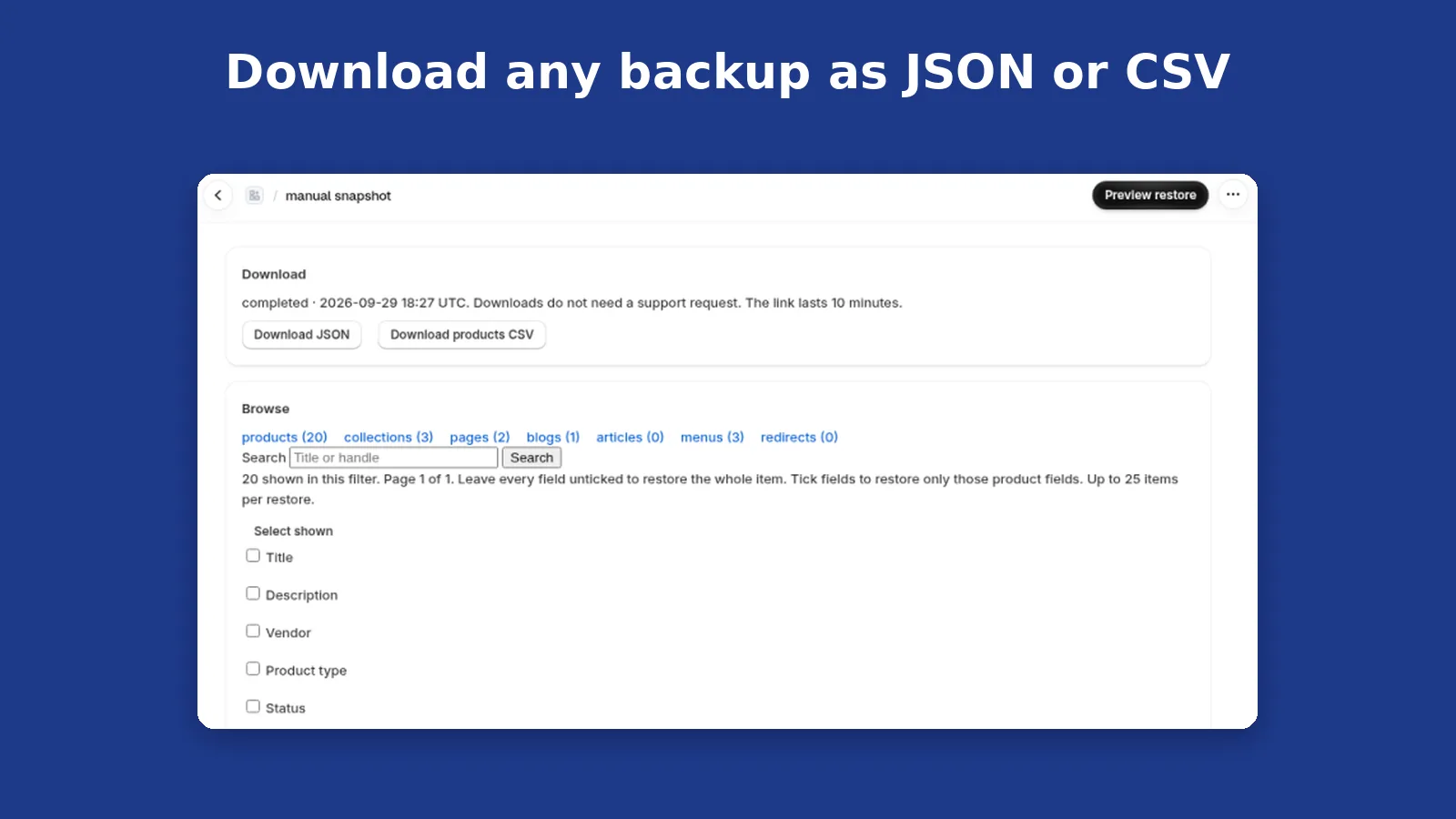
Real MakeBackup screen with sample data, not a real shop.
One title, not the whole product
- A sample product title was editedThe current title no longer matches the backup
- Open the previewIt shows the current title and the backed-up title
- Restore that field onlyUp to 25 items in one restore
- The rest of the productLeft as it is
Illustrative, using the sample data in the screenshots. Orders and customers are not stored.
What it is designed to help with.
A copy from last night
Nightly backups run around 03:15 UTC, and you can press Back up now.
Preview before you write
The preview only reads Shopify. Nothing changes until you restore.
Your own download
JSON or CSV from the snapshot page, without asking support for a file.
Nightly backups. Restore one item or one field.
Nightly backups
Runs around 03:15 UTC, or press Back up now. Keep snapshots for 7, 30 or 90 days.
Restore one item or one field
Preview the current value against the backup first. Nothing is written until you restore. Up to 25 items per restore.
Deleted items
Products and collections deleted while a snapshot still has them can be restored in one click. Items created and deleted between snapshots cannot be rebuilt.
Download any backup
JSON or a products CSV, from the snapshot page. The download link lasts 10 minutes.
Works with: Shopify products and collections, Shopify menus, pages, blogs and redirects
Price, permissions and support.
Pricing
Starter
- Up to 1,000 products
- 14-day free trial
Growth
- Up to 10,000 products
- 14-day free trial
Plus
- Up to 50,000 products
- 14-day free trial
Matches the Shopify App Store listing. Billed in USD every 30 days through Shopify. Cancel by uninstalling.
Permissions and data
Backs up products, variants, metafields, inventory quantities, collections including manual sort order, menus, pages, blogs, articles and URL redirects. Orders and customers are not stored. Snapshots are kept for the retention period you set: 7, 30 or 90 days. Shop data is deleted when Shopify sends the shop-redact webhook after uninstall.
Full details: privacy policy · trust.
Shopify access scopes
read_productswrite_productsread_inventorywrite_inventoryread_online_store_navigationwrite_online_store_navigationread_contentwrite_contentread_locations
Support
Email support@oskivo.com with your .myshopify.com address. The developer who built MakeBackup replies within 2 working days. How support and incidents are handled.
Who makes MakeBackup
Oskivo, built and supported by a sole developer in the UK. Company details.
Questions
Does MakeBackup store orders or customers?
No. Orders and customers are not stored.
How much is MakeBackup?
Starter is $6.99 USD for up to 1,000 products, Growth is $14.99 for up to 10,000, and Plus is $24.99 for up to 50,000. Each paid plan has a 14-day free trial and is billed every 30 days through Shopify. There is no free plan.
Can I restore one field?
Yes. Preview the current value against the backup, then restore one field or the whole item. The preview does not write to the store.
How do I get help?
Email support@oskivo.com. The developer who built MakeBackup replies within 2 working days.
Try MakeBackup on your shop
Install from the Shopify App Store. Your first 14 days are free.