OskivoGuidesMakeFlow vs spreadsheet
MakeFlow · Comparison · Updated
MakeFlow vs a spreadsheet or whiteboard for make-to-order
Plenty of makers run production off a whiteboard or a spreadsheet of open orders. It works until the order count grows, personalisations get missed, or a busy week sneaks up on you. This page sets out where each works and what MakeFlow (opens in a new tab) does instead.
The short answer
Keep the whiteboard if you make a handful of orders a week and can see them all at once. Move to an app when you are copying orders across every morning, totalling the same variant from several orders, or finding out too late that a day is over-booked. MakeFlow is $5.99/month with a 7-day free trial, so you can run it next to the board for a week.
Side by side
| Spreadsheet or whiteboard | MakeFlow | |
|---|---|---|
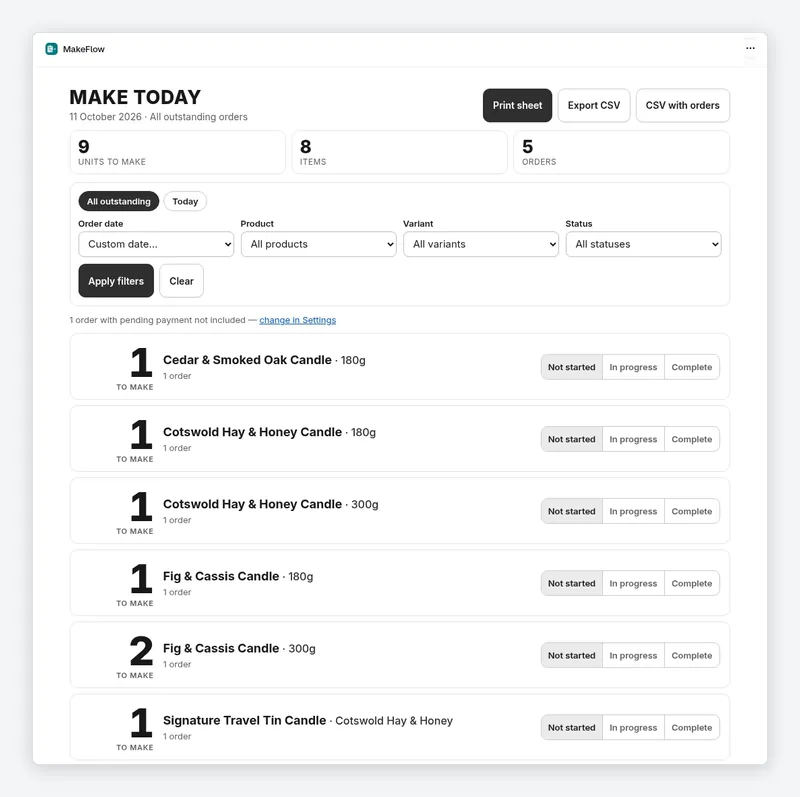
| Getting the orders | Copy or export open orders by hand | Reads your open, unfulfilled Shopify orders |
| Totals | Add up each product and variant yourself | Totals quantities per product and variant |
| Personalisations | Copy each note or engraving across, and hope none are missed | Shows personalisations on each item |
| Grouping | However you lay it out | Group by order tag, product type or collection, and filter by ship-within date |
| Changes | Edited orders and cancellations need re-copying | Updates when orders are created, edited, cancelled or fulfilled |
| Waiting on the customer | Remember which jobs are waiting for proof approval | Proof holds keep items off the list until the customer approves |
| Deposits | Remember which orders are part-paid | Part-paid and deposit orders are labelled on every item |
| Capacity | Gut feel | Set lead times and weekly capacity for ship-by dates and a warning when a day is over-booked |
| Cost | Free, apart from your time | $5.99/month, 7-day free trial |
Where a whiteboard is the better choice
- You make a few orders a week and can hold them all in your head.
- Your work is planned around stages and people (cutting, sewing, finishing) more than around a daily list. A stage board might suit you better; see the app comparison below.
- Most of your orders come from outside Shopify. MakeFlow only reads Shopify orders.
Where the spreadsheet starts to hurt
- Five orders contain the same variant, and you want to make them in one batch.
- A customer edits or cancels after you have copied the order across.
- A proof is still waiting on the customer and the job gets made anyway.
- You only realise on Thursday that Friday has more booked than you can make.
What MakeFlow does not do
To be clear about the limits: MakeFlow is a daily make list, not a full manufacturing system. It does not track raw materials or bills of materials (that is what MakeStock is for), it does not give workers separate stage queues, and it only sees orders in Shopify.
Oskivo makes MakeRep and MakeFlow, so read this as the developer’s comparison, not an independent review. MakeFlow’s price and features are from its Shopify App Store listing on 22 October 2026. Prices are in US dollars as the listings show them, before any usage charges or taxes, and listings change. Check each listing before you decide.
Questions
How much does MakeFlow cost?
$5.99/month with a 7-day free trial, as shown on the Shopify App Store listing on 22 October 2026.
Does MakeFlow change my orders?
No. It reads open orders to build the list. You still fulfil orders in Shopify as normal.
Does MakeFlow handle personalised orders?
Yes. Personalisations are shown on each item in the list, so engraving text or a colour choice is not lost when you total the variants.
Other guides
- How to turn Shopify orders into a daily production list
The step-by-step MakeFlow guide.
- Shopify production planning apps compared
MakeFlow and four other apps, from their listings.
- How to track raw materials and product costs in Shopify
MakeStock tracks what each product is made from.